Welcome to NETO

Log in to your account, or sign up in a minute.

Already registered?Existing clients
New here? Sign upChoose your track Employer Employee / Freelancer

Get in touch

Pick whatever works for you · we're here.

Info & policies

Everything about NETO · transparent and available

NETO · Bareket I.T. Ltd.
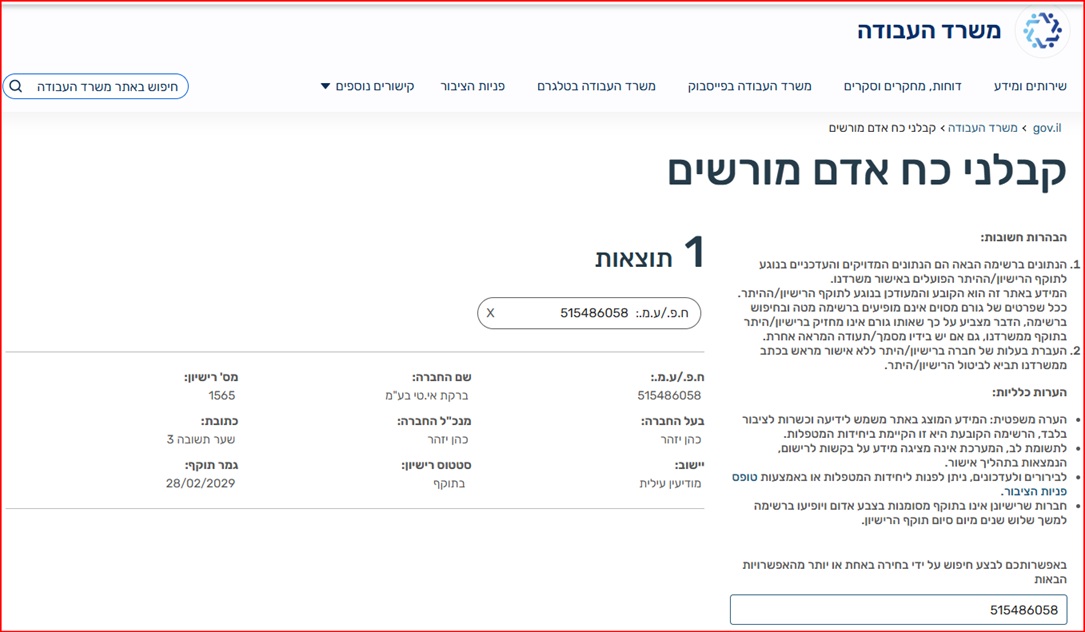
Reg. 515486058 · Licensed manpower contractor #1565
Office: Sha'arei Teshuva 31, Modi'in Illit
Tel +972-8-976-1874 · neto@neto.work

Open →

Book a demo

Pick a convenient time · we'll confirm by phone/email

Choose a day
Choose a time (11:30–15:30)
Guide progress0%
System Guides · Employer Track

Pay a Temporary Worker · The Full Track

A temporary or casual worker finished a job and needs to get paid? A short 4-step wizard · ending with a lawful payslip for the worker and a tax invoice for you. No deductions file, no dealing with the authorities.

Manpower license no. 1565 Ministry of Labor supervision Operating since 2016
No employer account yet? This track starts from an active account. First complete the employer account guide and come back here.
AI summary · the guide in 30 seconds
  • What you do here: pay a temporary or casual worker (not scheduled to work more than two months) in a short 4-step wizard · ending with a lawful payslip for the worker and a tax invoice for you.
  • Three compensation forms: an hourly rate with a daily breakdown · centralized hours reporting · a monthly global salary or per project; by net, gross or final cost.
  • Full transparency: the final calculation shows the worker's net, the employer costs and the total charge including the 5% commission (on the invoice before VAT) and VAT.
  • No legal exposure: no employer-employee relationship is created between you and the worker · NETO is the employer of record and handles all reporting to the authorities.
  • No obligation: until the final approval and the signature on the employer statement there is no obligation to pay · an unapproved transaction is saved as a draft.

Sources: Employer account guide · Israeli Ministry of Labor · Employer costs in Israel

1
Step 1 of 6 · Entering the track

Choose the Casual Worker Option

On the Salary and Payments screen choose the casual worker tile, or open Temporary Workers in the side menu.

Good to know: This track is for a worker who already performed work and needs to receive payment · not scheduled to work more than two months? This is the right track.
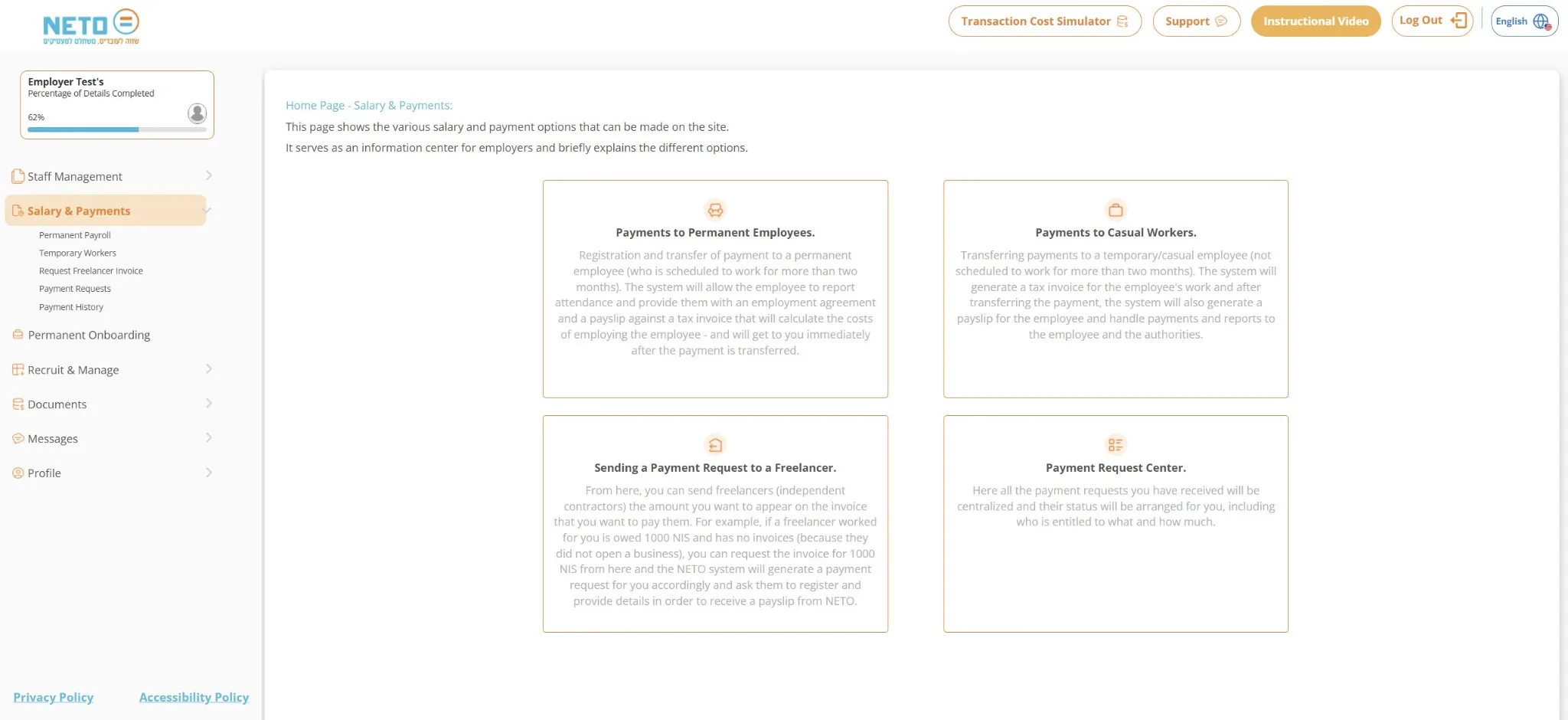
The Salary and Payments screen with the casual worker option
2
Step 2 of 6 · Wizard step 1

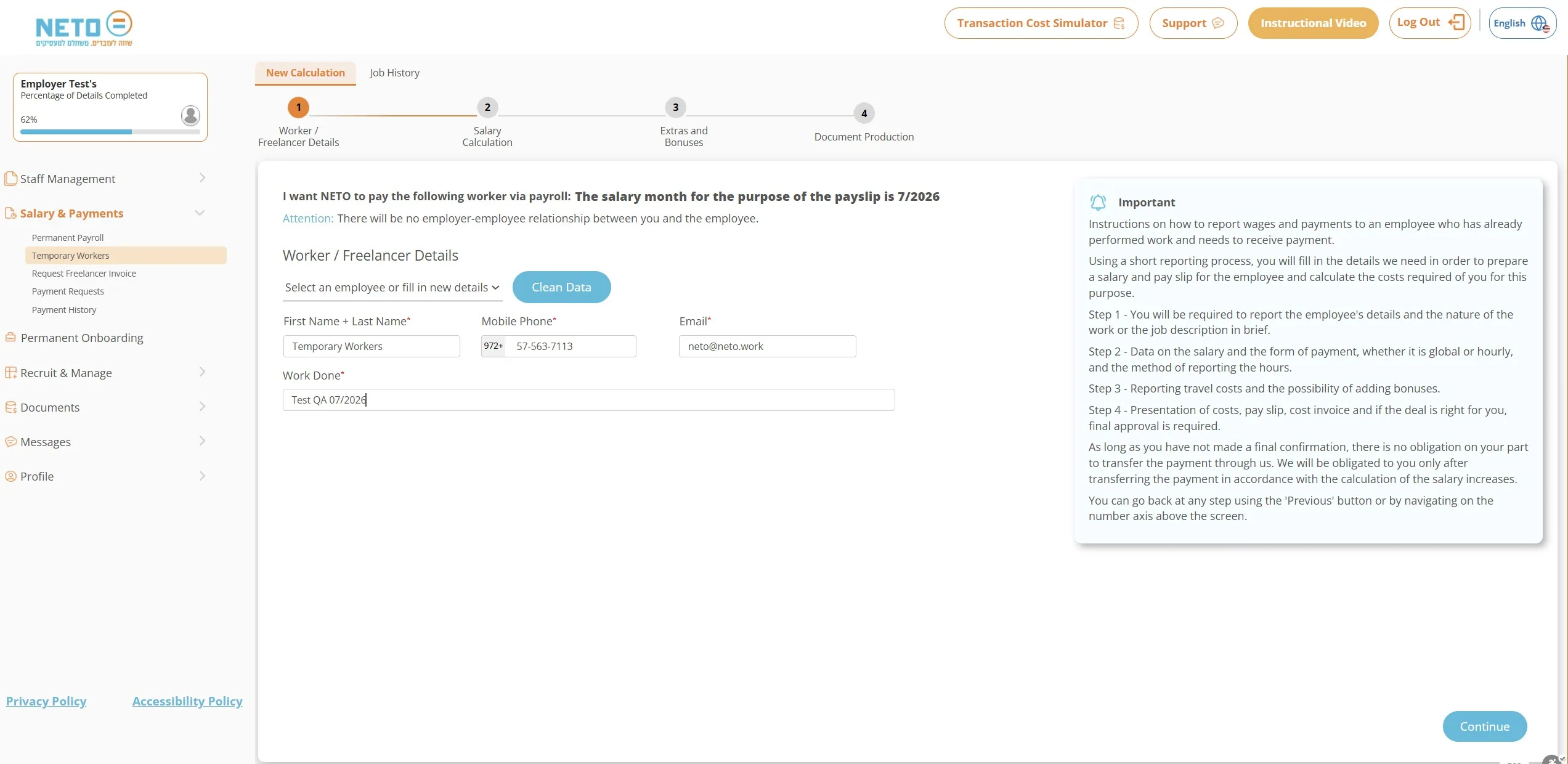
Worker and Job Details

Enter the full name, mobile phone, email and a short description of the work done. A worker who already exists in the system can simply be selected from the list.

Good to know: The salary month for the payslip is shown at the top of the screen · the payment will be attributed to it.
The worker details step in the temporary worker wizard
3
Step 3 of 6 · Wizard step 2

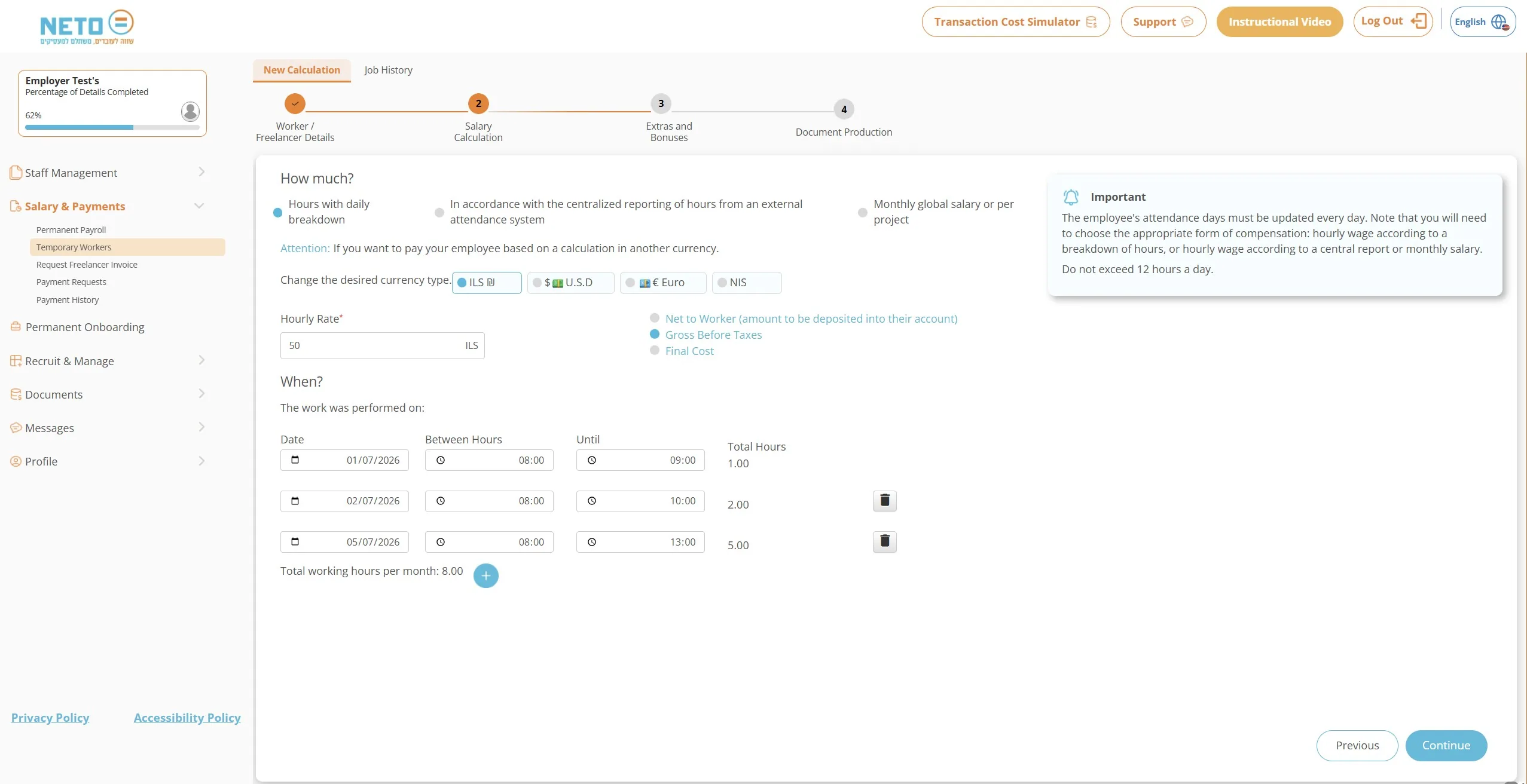
Salary Calculation · How Much and When

Choose the form of compensation: an hourly rate with a daily breakdown, centralized hours reporting from an attendance system, or a monthly global salary or per project. Set the rate and currency, choose whether the amount is net for the worker, gross before taxes or final cost · and enter the work dates and hours.

Good to know: In daily reporting do not exceed 12 hours a day · the system automatically totals the monthly hours.
The salary calculation step · compensation form, rate and hours
4
Step 4 of 6 · Wizard step 3

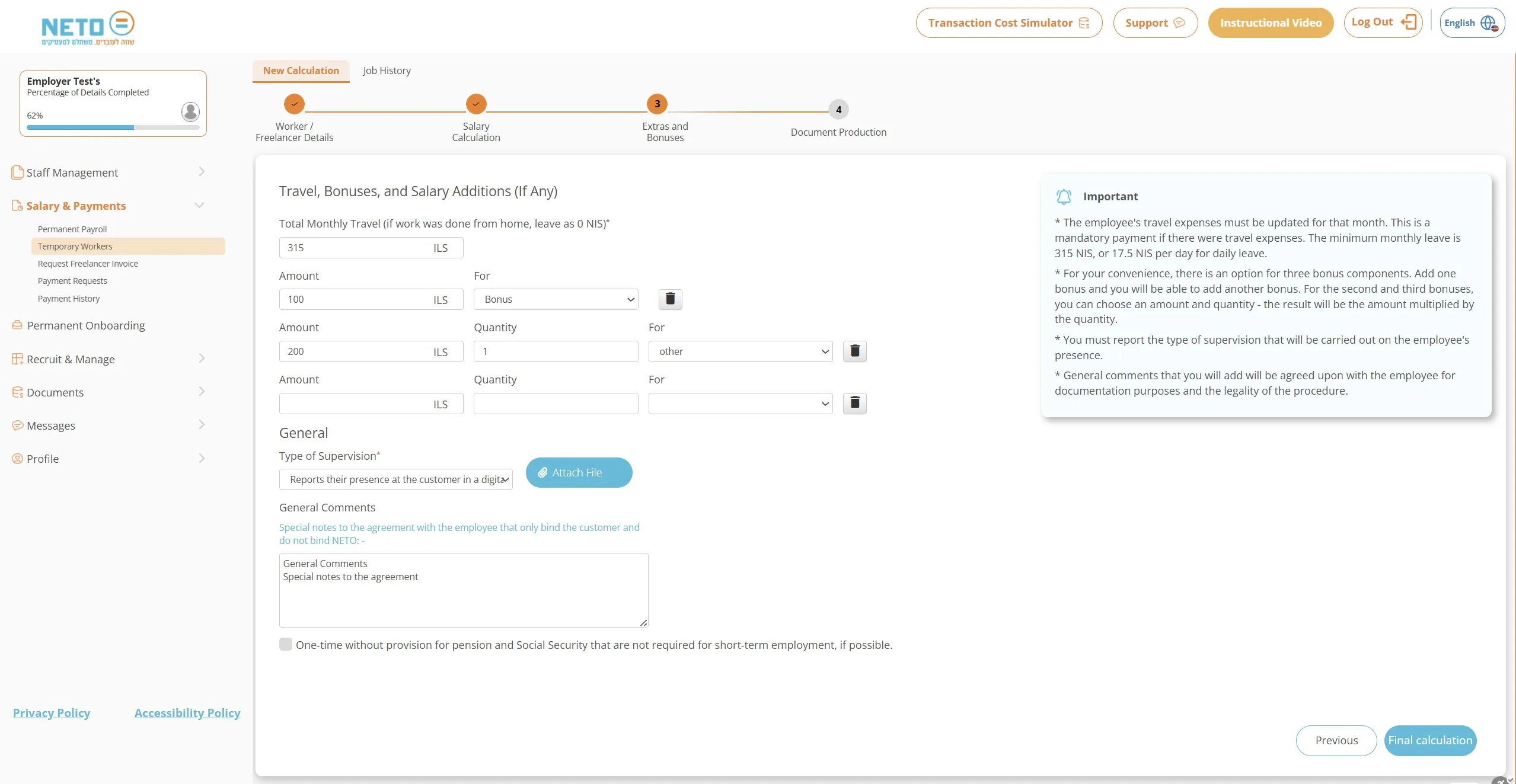
Travel, Bonuses and Additions

Update monthly travel expenses if there were any (mandatory · minimum 315 NIS per month or 17.5 NIS per day), add up to three bonus components, choose the type of supervision of the worker's presence and add general comments that will be anchored in the agreement.

Good to know: For short-term employment you can mark a one-time payment without pension and Social Security provisions · when not required by law.
The travel, bonuses and additions step in the wizard
5
Step 5 of 6 · Wizard step 4

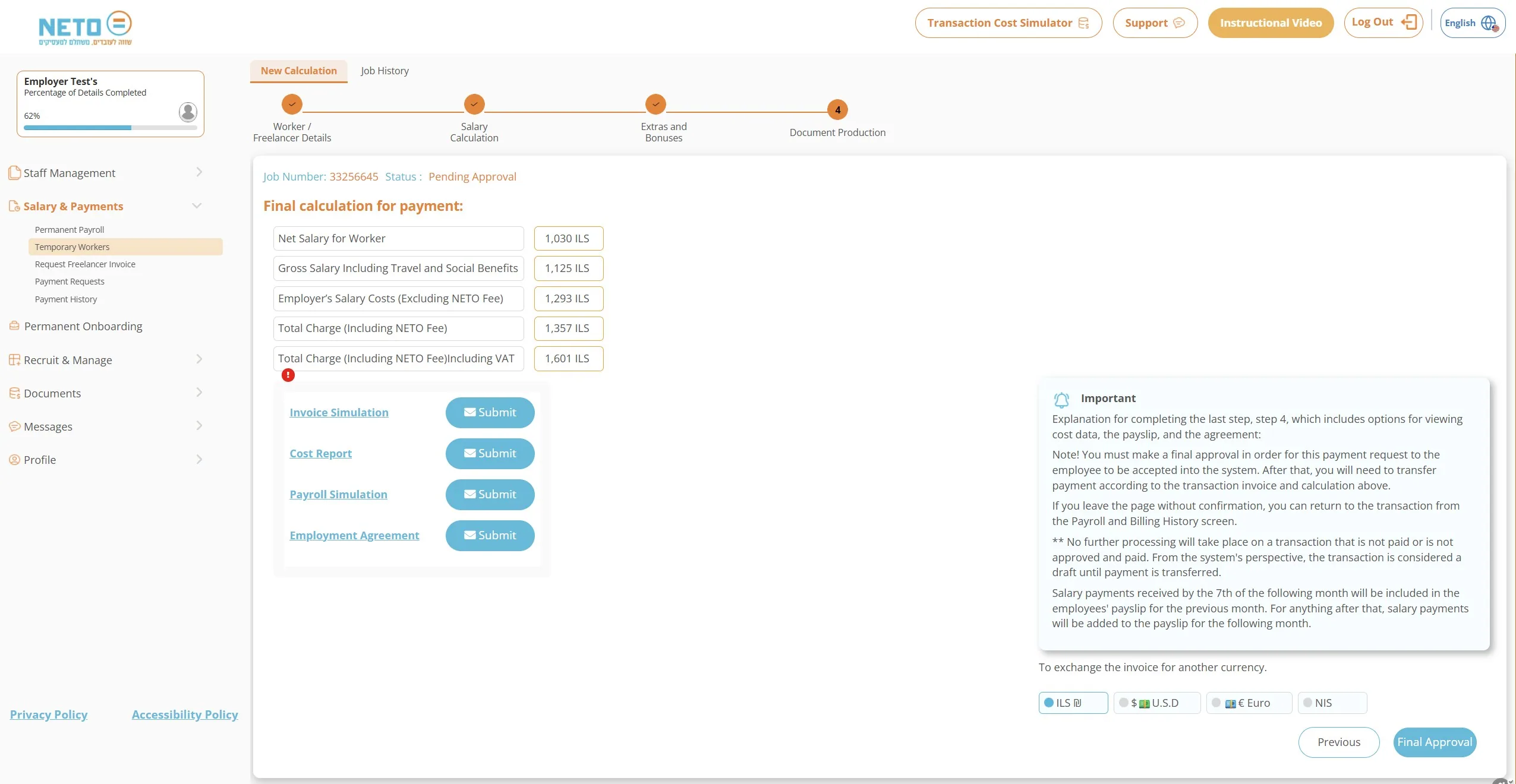
Final Calculation and Documents

The system shows the full calculation transparently: net salary for the worker, gross including travel and social benefits, employer costs, and the total charge including the NETO fee and VAT. From here you can produce an invoice simulation, cost report, payroll simulation and engagement agreement · every document has a Send button that delivers it to your email. The engagement agreement opens as a signature dialog · read the draft contract and sign inside the marked area.

Good to know: Until the transaction is approved, the status shows as pending approval. Payments received by the 7th of the month are included in the previous month's payslip · and until the final approval there is no obligation on your part.
The final calculation step · documents to produce
6
Step 6 of 6 · Final approval

Employer Statement and Signature · What Submits the Transaction

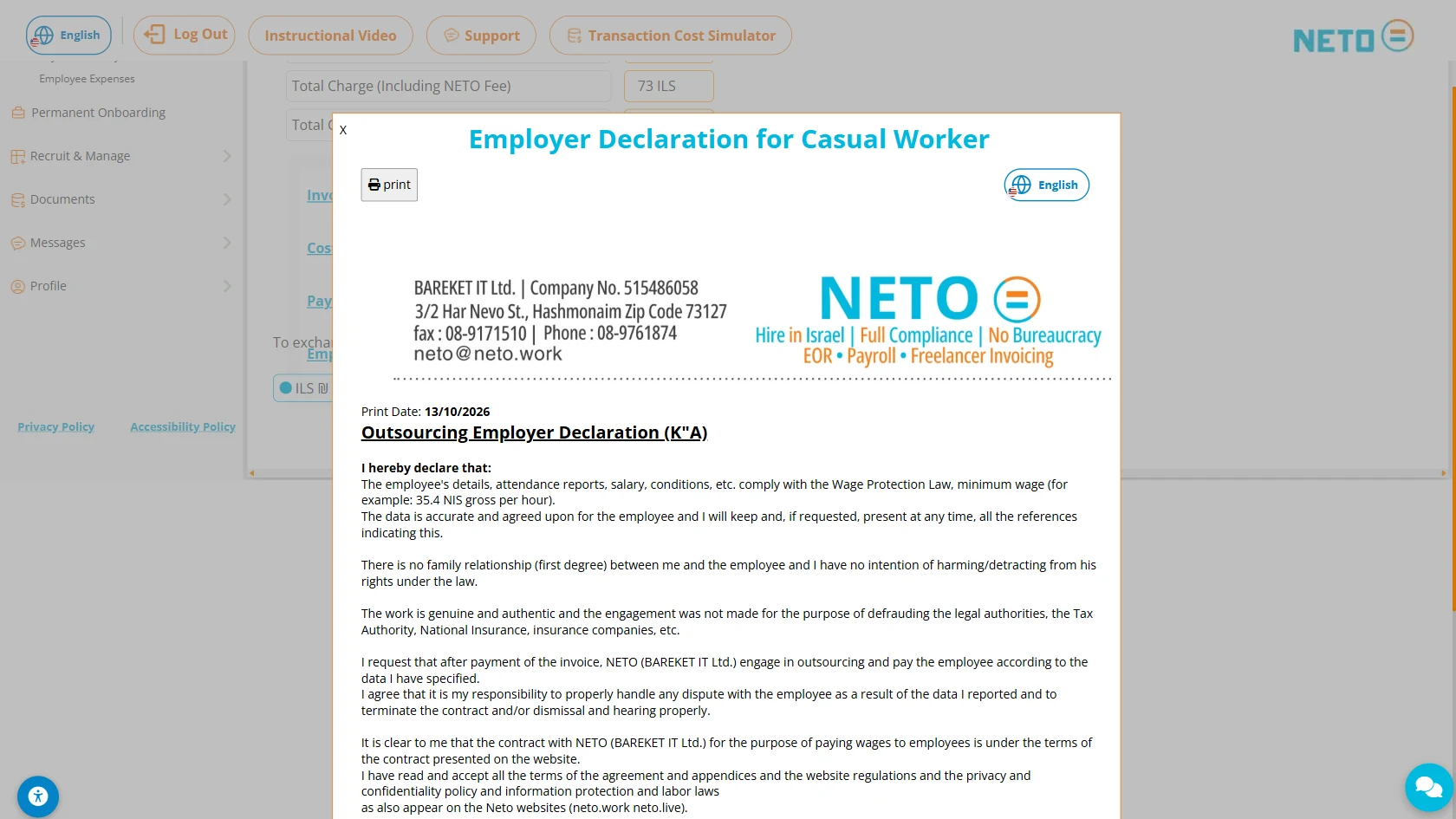
Click Final Approval · and the employer statement for a casual worker opens: a short legal document with the employer's and worker's details, confirming that the job details are accurate and that the worker is paid after the NETO invoice is settled. At the bottom of the statement there is a marked signature area · and signing it is what actually submits the transaction.

Good to know: You can print the statement with the Print button at the top of the dialog. As long as you have not signed · the transaction remains a draft, and you can return to it from the Payroll and Billing History screen.

The final approval · the short version

  • Click Final Approval · the employer statement opens
  • A short legal declaration with the employer's and worker's details
  • Sign inside the marked signature area
  • The signature is what submits the transaction · until then it stays a draft

Related Guides · by what you need next

Track FAQ

Who is the temporary worker track for?
For a temporary or casual worker who is not scheduled to work for you for more than two months · hourly, daily or task-based work. For ongoing long-term employment, use the permanent employee track.
Is an employer-employee relationship created between me and the worker?
No. NETO is the employer of record: it issues the worker a lawful payslip, handles the payments and the reporting to the worker and the authorities, and you receive a tax invoice.
How do I report the working hours?
Choose one of three forms: an hourly rate with a daily breakdown, centralized hours reporting from an external attendance system, or a monthly global salary or per project. In daily reporting, do not exceed 12 hours a day.
What about travel expenses?
If the worker had travel expenses, they must be updated for that month. The monthly minimum is 315 NIS, or 17.5 NIS per working day.
When is the payment included in the payslip?
Salary payments received by the 7th of the following month are included in the payslip for the previous month. After that, the payment is added to the payslip for the following month.
Am I committed to pay once I started the wizard?
No. As long as you have not made a final approval, there is no obligation to transfer the payment. An unapproved and unpaid transaction is considered a draft, and you can return to it from the Payroll and Billing History screen.
How much does the service cost?
The commission is 5%, derived from the invoice amount the client pays (before VAT). The final calculation in the wizard shows everything transparently · including the fee and VAT.

Summary · the whole track in six lines

  1. Open Salary and Payments and choose the casual worker option.
  2. Enter the worker's details and a short description of the work done.
  3. Calculate the salary in the compensation form that fits · hourly-daily, centralized or global.
  4. Add travel, bonuses and comments that will be anchored in the agreement.
  5. Review the final calculation, produce the documents and sign the engagement agreement.
  6. Click Final Approval and sign the employer statement · the worker gets a lawful payslip, you get a tax invoice, and NETO handles all the reporting.

Still have a question? We're here

The NETO team answers fast · on WhatsApp, by phone or through the contact form.

About the author
Yizhar CohenYC
Yizhar CohenEntrepreneur · CEO and Founding Partner at NETO

I founded NETO to turn complex employment and payment processes into something simple, clear and legal for everyone. Good service starts with human understanding, combined with smart technology and personal attention.

Connect on LinkedIn
Have a question? Let's talk.
Topics