Step 1 of 10
Log in and sign up as an employer
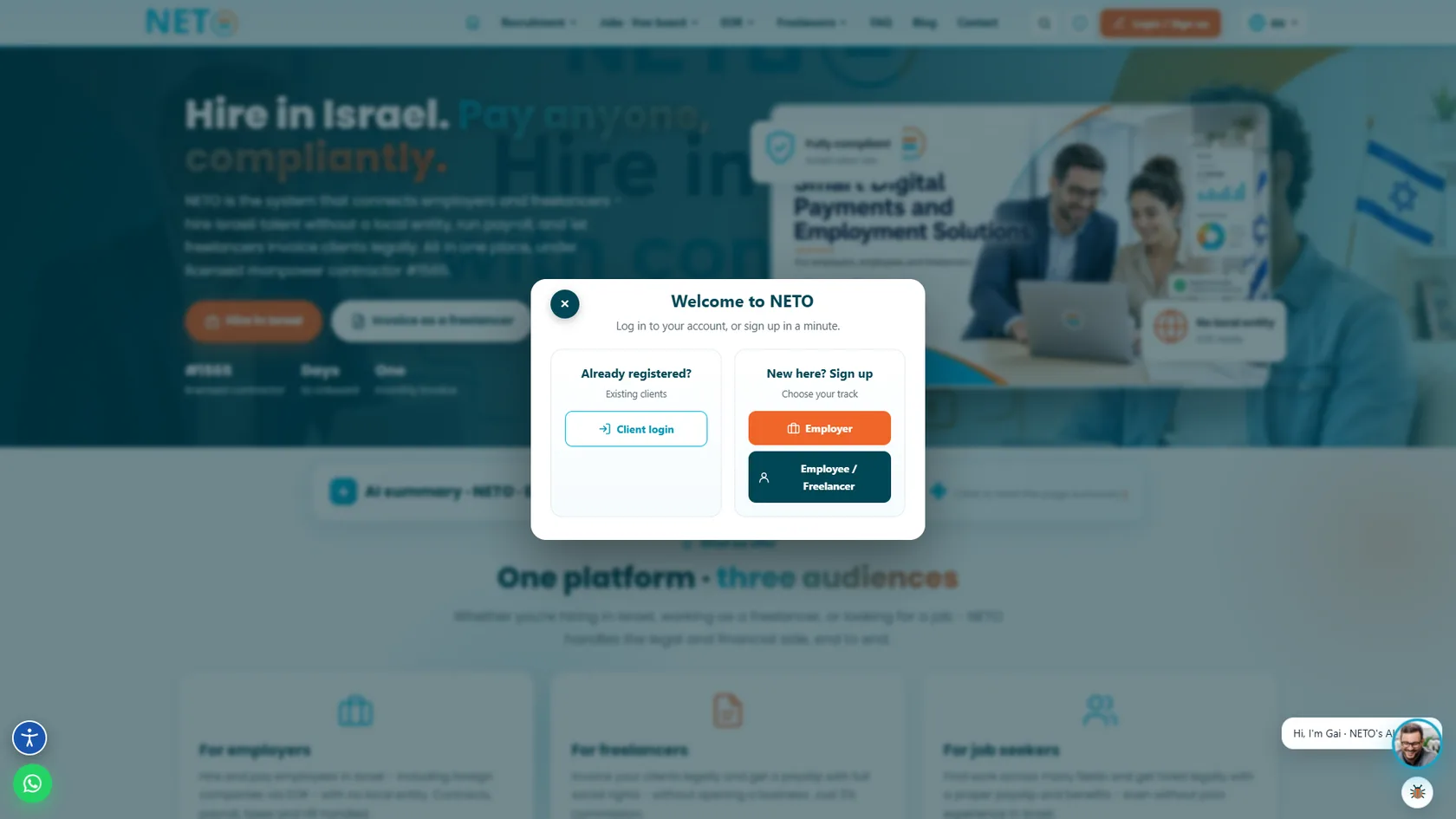
Go to NETO.WORK, click "Login / Sign up", and in the "Welcome to NETO" window click the orange "Employer" button to start an employer account.
Go to NETO.WORK and click the orange "Login / Sign up" button in the top bar. The "Welcome to NETO" window opens with two options: "New here? Sign up" · choose your track and click the orange "Employer" button; or "Already registered?" · existing clients click "Client login" and enter the existing account.
Good to know: make sure you choose "Employer" and not "Employee / Freelancer" · only an employer account gets the Recruit & Manage menu and job posting. As the window itself says, you can log in to your account or sign up in a minute.