Log in from your phone
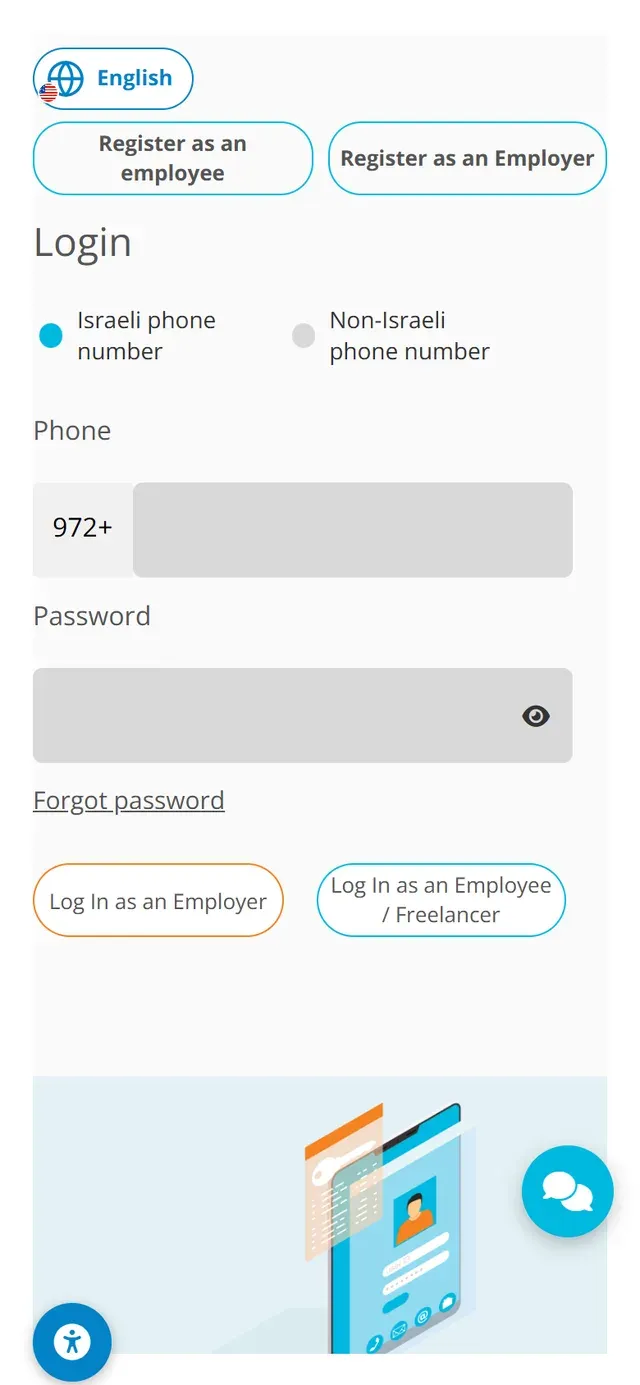
Open the NETO.LIVE login screen in your phone's browser. Keep "Israeli phone number" selected (or switch to "Non-Israeli phone number"), enter your phone and password and tap the orange Log In as an Employer button.

Log in to your account, or sign up in a minute.
Pick whatever works for you · we're here.
Everything about NETO · transparent and available
Pick a convenient time · we'll confirm by phone/email
No computer nearby? No problem. The NETO system works fully in your phone's browser: log in, open a casual-worker payment calculation or send a payment request to a freelancer, produce the documents and submit with your signature · in six short steps, with real phone screenshots.
Let's start · step 1Open the NETO.LIVE login screen in your phone's browser. Keep "Israeli phone number" selected (or switch to "Non-Israeli phone number"), enter your phone and password and tap the orange Log In as an Employer button.

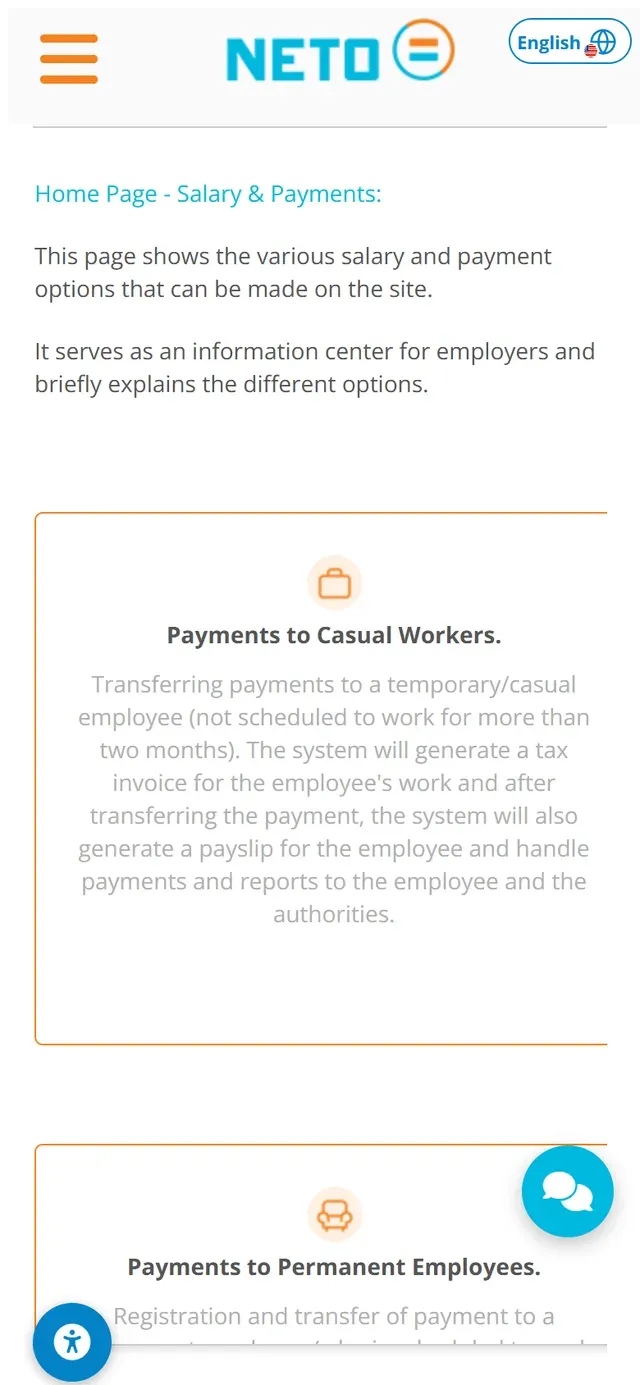
After logging in you land on the Salary and Payments home screen · an information center that briefly explains every payment option in the system: Payments to Casual Workers, Payments to Permanent Employees and Sending a Payment Request to a Freelancer.

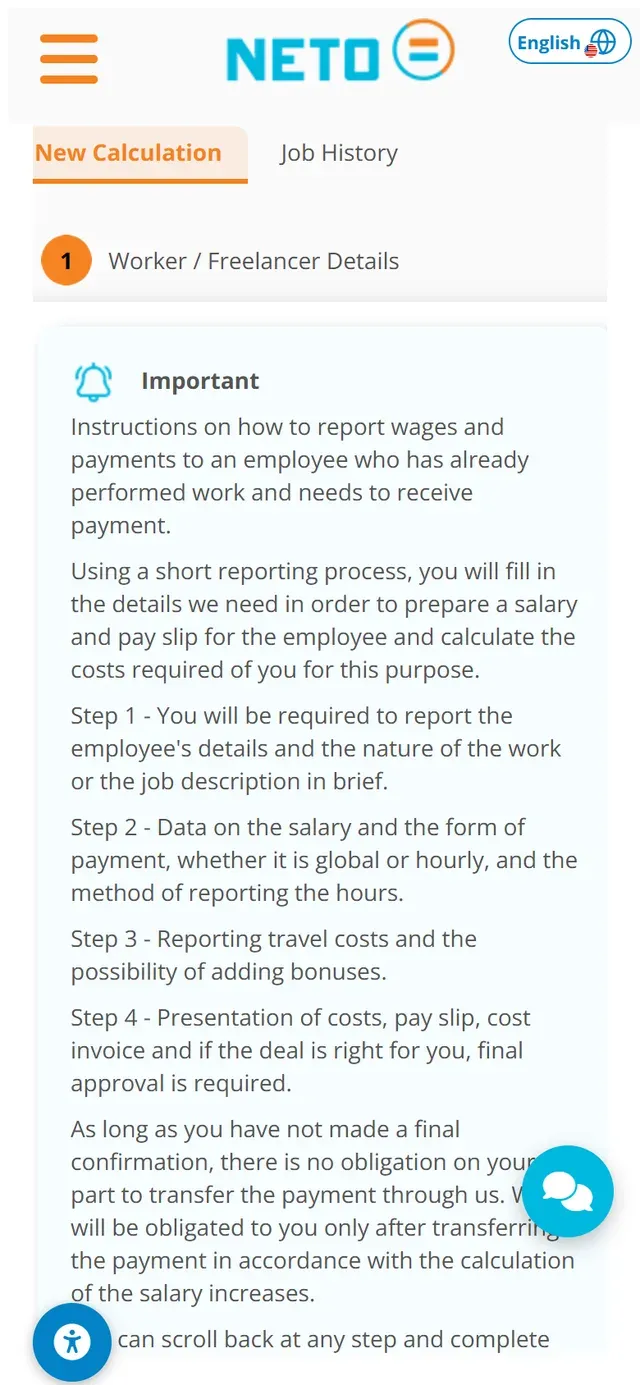
Open the New Calculation tab (Job History sits next to it). The screen explains the short reporting process: the worker's details and the nature of the work, the salary data (global or hourly) and how hours are reported, travel costs and bonuses, and finally the costs, payslip and cost invoice for approval.
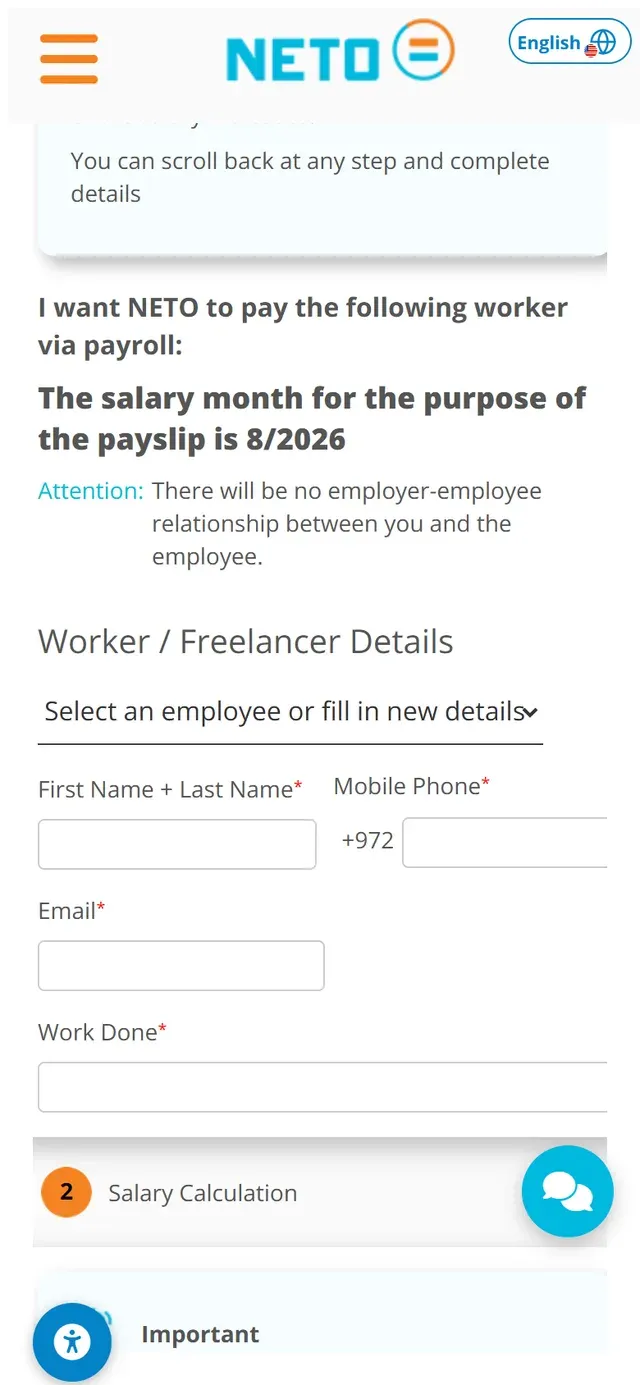
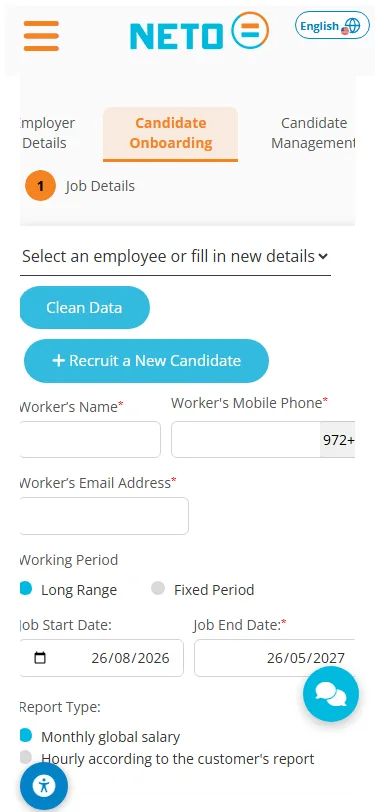
Scroll down to the form: the system states the salary month for the payslip, then asks for the worker's first and last name, mobile phone, email and the work done · and moves on to section 2, Salary Calculation.


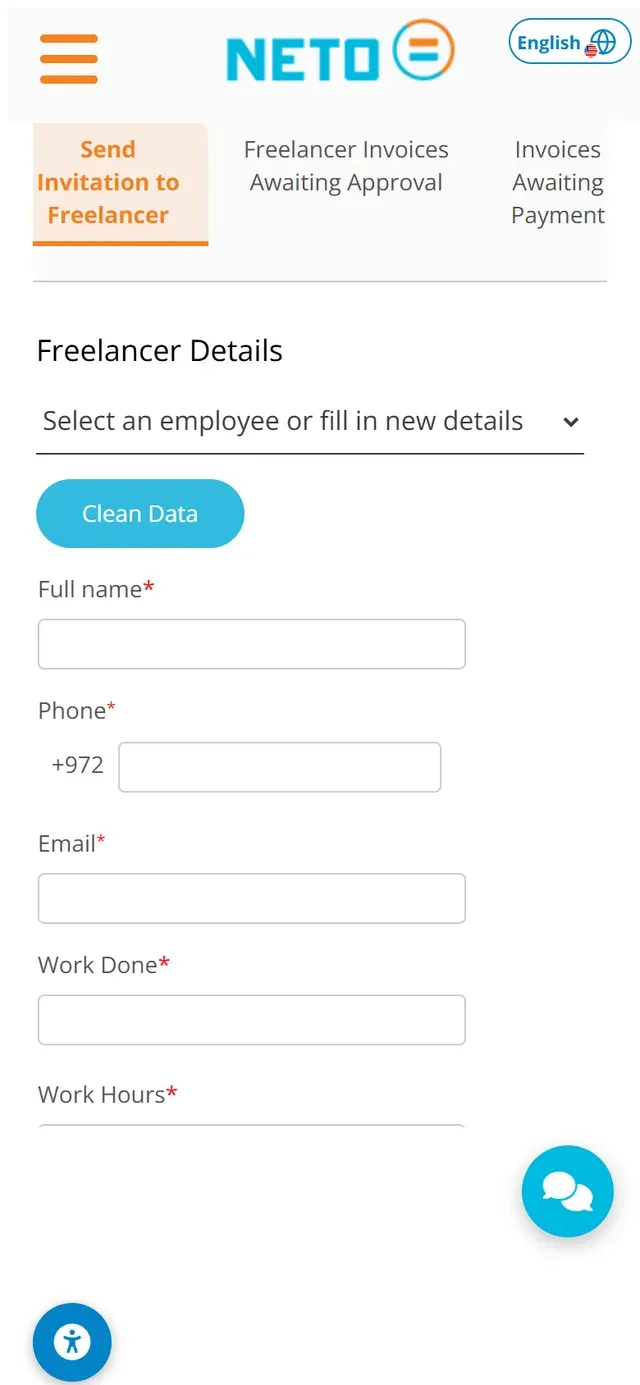
Worked with a freelancer who has no registered business? In the Send Invitation to Freelancer tab, pick an existing contact or fill in new details: full name, phone, email, the work done and the work hours. The system generates a payment request and asks the freelancer to register and provide their details in order to receive a payslip from NETO.

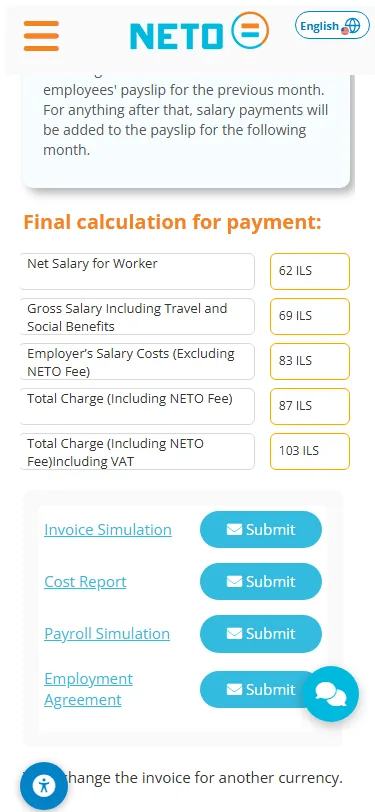
Continuing the casual-worker calculation from step 3: after the worker's details, the salary data, travel and bonuses, the system shows the full calculation transparently · the net salary for the worker, the gross including travel and social benefits, the employer costs, and the total charge including the NETO fee and VAT.
From the same screen you can produce four documents · an invoice simulation, a cost report, a payslip simulation and the engagement agreement · and every document has a Send button that delivers it to your email.
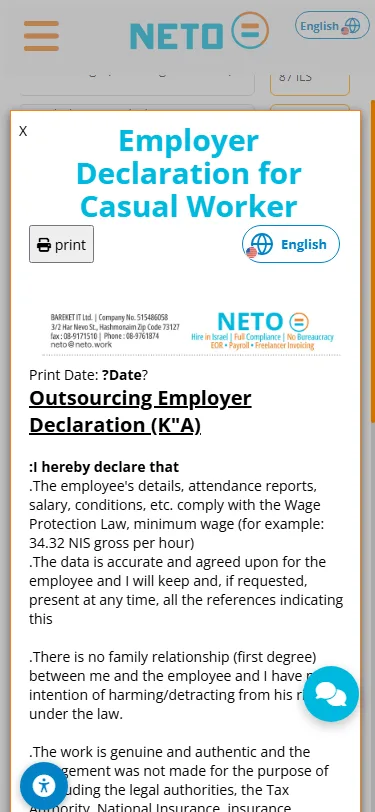
Tap Final Approval · and the employer statement opens: a short legal document with the employer's and worker's details, confirming that the job details are accurate and that the worker is paid after the NETO invoice is settled. At the bottom there is a marked signature area · and signing on screen, right on your phone, is what actually submits the transaction.
A short vertical video made for your phone.
Ready to pay your first worker from the phone? Registration takes a few minutes, and the NETO support team walks you through if anything is unclear.
The NETO support team walks you through every step · by phone, on WhatsApp or through the smart assistant in the corner of the screen.
Every section, organized by topic. Browse the full hierarchy or jump straight in.
Adjust the site to your needs
We use cookies to run the site and, with your consent, to measure traffic and improve your experience. Privacy policy
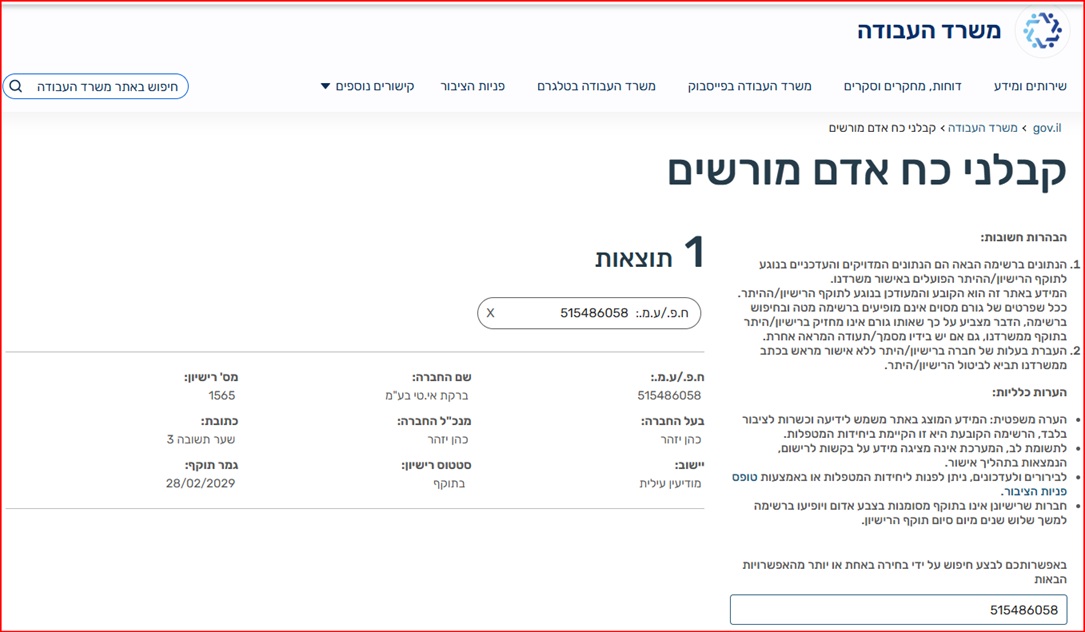
Barkat I.T Ltd · trading as NETO · is a licensed manpower company (license 1565), supervised by the Israeli Ministry of Labor.
Verify the license on the Ministry of Labor website
Full details · Manpower contractor license page →